
Lichess
Calculation Trainer
... a new feature in LiChess Tools
Update
In version 2.4.198 the Calculation Trainer has been updated significantly. Now you can do the following:
- show arrows on mouseover over the buttons
- update the board while you make the move or keep it frozen in the starting position (recommended for improving your skills)
- show evaluation of the current position (not recommended because it gives away things in the position)
- show the accuracy associated with each of the button choices after making a choice
- read the move out loud when making a choice
- enter UCI/SAN candidate moves yourself, rather than have Stockfish do it (very recommended, but pretty advanced)
Intro
Today I am proud to announce a new feature in the LiChess Tools browser extension (v2.4.194) called Calculation Trainer. The idea is simple: show the four best moves in the position and then from the resulting position show the best moves again and so on, thus training calculation and vizualisation.
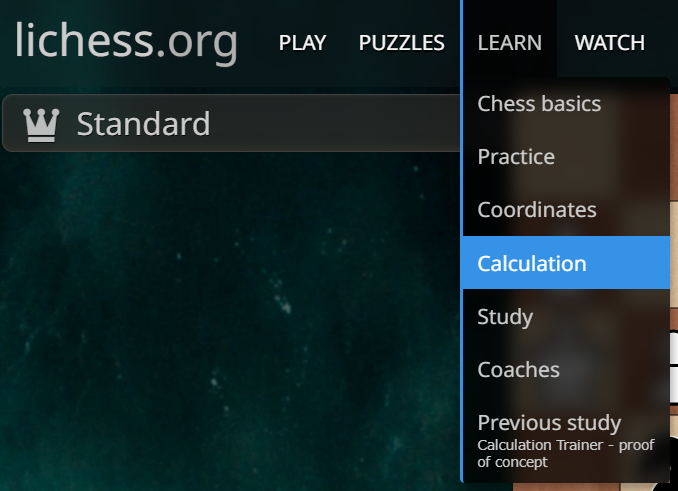
To access it, just use the new Calculation menu item in the Learn menu, which will be available only in an analysis context (Analysis Board / Study chapter / Game analysis).
Elements of the trainer
When clicking the menu item, a dialog will appear, looking something like this: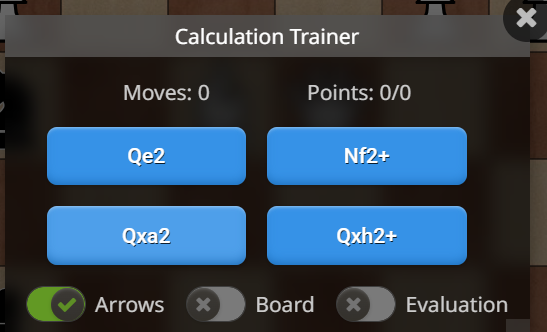 First there are two or three values shown:
- the number of moves played from the original position
- the points calculated as accuracy percentage added per move (100 is the maximum per move) - this will turn red if you made a wrong choice and green if all your choices were optimal
- the computer evaluation (shown only if the Evaluation toggle is on). This is not recommended, as it spoils the type of move that is the best
Then there are the four buttons (can be less) with the best moves as found by Stockfish at depth 16. If the Arrows toggle is on, hovering over the buttons will also show arrows on the board for how the move will be made. In some cases (for example one side is checkmated) there will be no moves available.
Finally there are the toggles. Arrows and Evaluation I've already explained, remaining is Board, which I recommend keeping off. If the toggle is on, the board will be updated with the moves you choose, but that will defeat the purpose of calculating from the original position.
The dialog box is movable and resizable and these settings will be persisted so you can place the box outside the board.
Core use case
The purpose of the feature is to train calculation, so toggle Board and Evaluation off and then try to make the best move for each side for as deep as possible. There is no end for the trainer, you can go as far as you want.
For example, here is how it handles today's daily puzzle (#YhHDu) in Analysis Board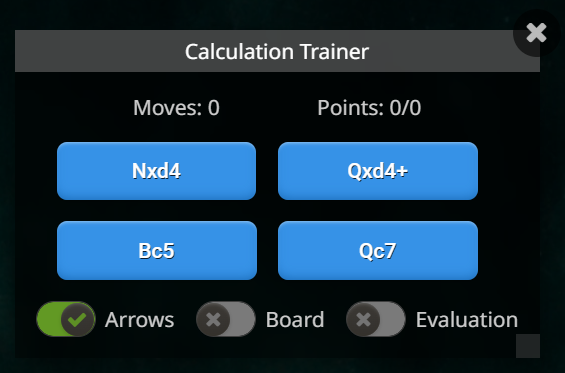 You press Nxd4 for Black and it updates to:
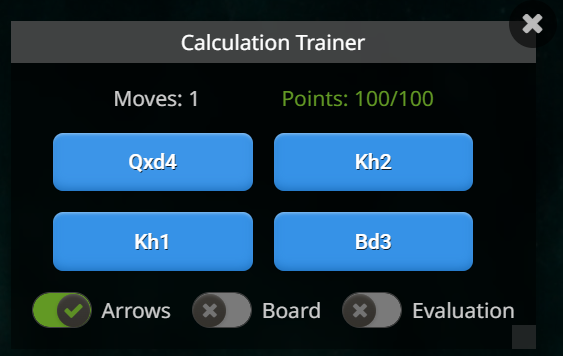 The board position remains as it was, but now the moves are for White. I choose Qxd4 and the trainer updates like this:
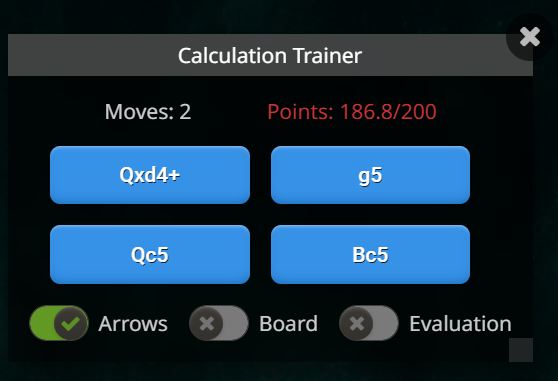 The move is wrong, hence the red text.
Secondary use case
There is a second way you can use this feature and that is to "play" from a position using this simplified interface. You toggle the Board on and you try to make moves as well as possible. This can help you train openings of find out what was the best move from a critical position in your games. Note that this will not generate moves in the move list. If you want this, let me know.
Example from my game Knight_Rider2015 vs TotalNoob69: Nimzowitsch Defense when I made a mistake which is not immediately obvious. And if you chose Nf6, it's the correct move. My Bg4 is not even in the list, because it's a blunder. I will make the move anyway and start the Calculation trainer for the resulting position:
 I will leave the answer for the best move to you.
Conclusion
I would love to hear your feedback on this new tool and if this helps you or not. I am always open to feedback and suggestions.
Have fun with Lichess and LiChess Tools!
You may also like
 FM MathiCasa
Chess Football: A Fun and Creative Variant
Where chess pieces become "players" and the traditional chessboard turns into a soccer field ChessMonitor_Stats
Where do Grandmasters play Chess? - Lichess vs. Chess.com
This is the first large-scale analysis of Grandmaster activity across Chess.com and Lichess from 200… DaBassie
Improving at chess: calculation as a skill
This post is about me rambling about calculation. I provide some techniques that make chess calculat… CM HGabor
How titled players lie to you
This post is a word of warning for the average club player. As the chess world is becoming increasin… TotalNoob69
Discerning chess plans with Stockfish?!
... surely this can't be a thing thibault