
The Secret Trick to Unlock Chess.com’s Full-Game Engine Analysis Without Paying
Analyzing your games with a chess engine can help you improve your skills and learn from your mistakes. Chess.com has this feature, but it’s only for paying premium members. What if you could enjoy the same service for free? No, it’s not a scam! It’s possible with lichess.org, a free and open-source chess platform. In this post, I will teach you how to use lichess.org to analyze your chess.com games without any cost or restriction. Keep reading to discover how!
Lichess.org is a website that allows you to play, learn, and share chess online. It has many features that make it a great choice for chess lovers, such as:
- A user-friendly interface that works on any device
- A variety of game modes, such as blitz, bullet, classical, correspondence, chess960, and more
- A rich collection of puzzles, studies, and lessons to improve your chess knowledge
- A powerful analysis board that lets you explore any position with a built-in engine and a database of millions of games
- A forum and a blog where you can interact with other chess fans and experts
- A donation-based model that keeps the site free and ad-free for everyone
More in my other article where I compared it with chess.com
https://lichess.org/@/shafen/blog/how-lichessorg-beats-chesscom-in-every-way-proven-with-comparison-chart/AmOcIASF
But what makes lichess.org even more amazing is that it allows you to analyze your chess.com games for free and without any limitations. How? By using a simple trick that involves copying your chess.com game's PGN and pasting it to lichess.org. Here are the steps to follow:
1. Go to the game on chess.com you want to analyze.
I will be analyzing GMDaniyalkhalid’s game. He wanted help analyzing games he played against strong opponent but chess.com limited him to analyze more than one game a day. I showed him this trick that I am going to share with you.
[EDIT 22-Nov-2024]
YOU CAN SKIP THE REMAINING STEPS IF YOU USE THIS EXTENSION THAT DOES ALL THE FOLLOWING STEPS ON AUTOPILOT
FREE CHESS ANALYSIS chrome extension
https://chromewebstore.google.com/detail/free-chess-analysis/fkakfklkhmjkkehkjchemdgeoldekdml?hl=en
go to the chess.com game and click the extension icon and you are done
2. Click on Download button (or you can click share button and change tab in popup window).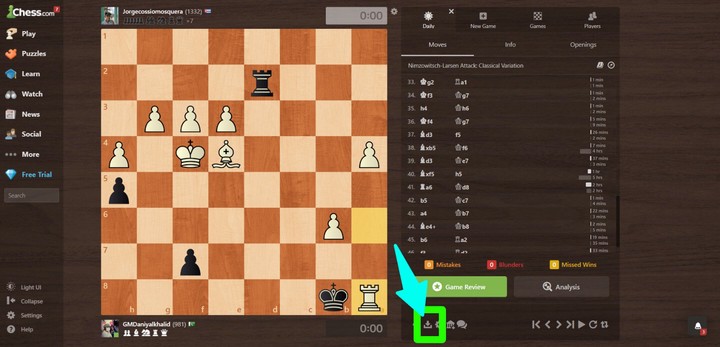
3. On PGN tab, copy the pgn text.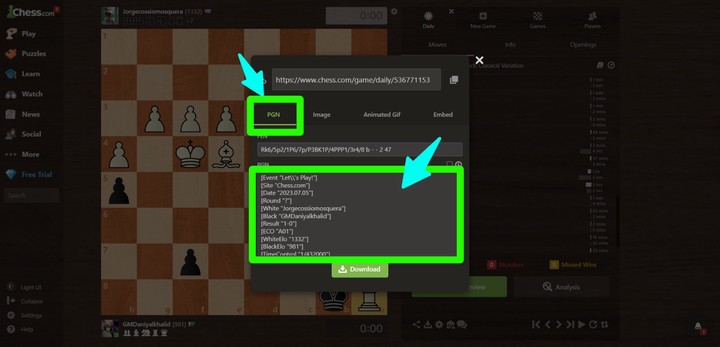
4. Go to this link or go to lichess > tools > Import
https://lichess.org/paste.
5. Paste the game PGN text you copied from chess.com
6. Enable engine analysis (Request a computer analysis) you can also do it after import.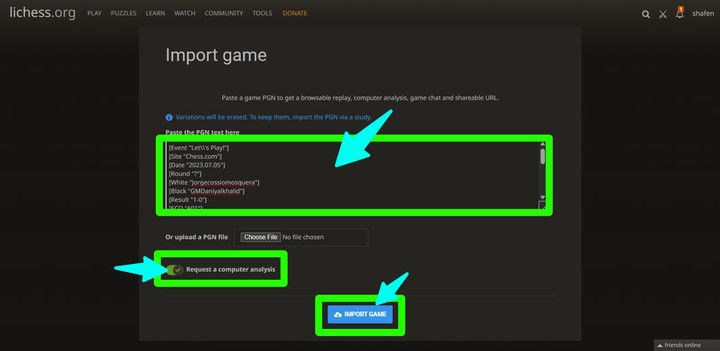
7. It will start analyzing your game on server-side with Stockfish with the latest and most powerful version of Computer world champion. Currently Stockfish 16 with NNUE and improved with leela chess zero games database.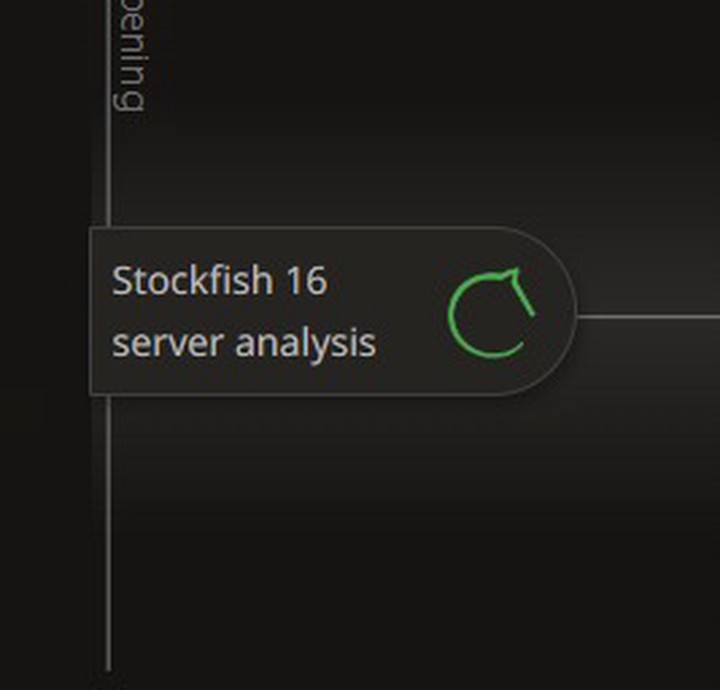
8. It will take few seconds to analyze your whole game and you will get the results shortly, it will telll you blunders, mistakes and inaccuracies.as well as accuracy percentage and average CPL.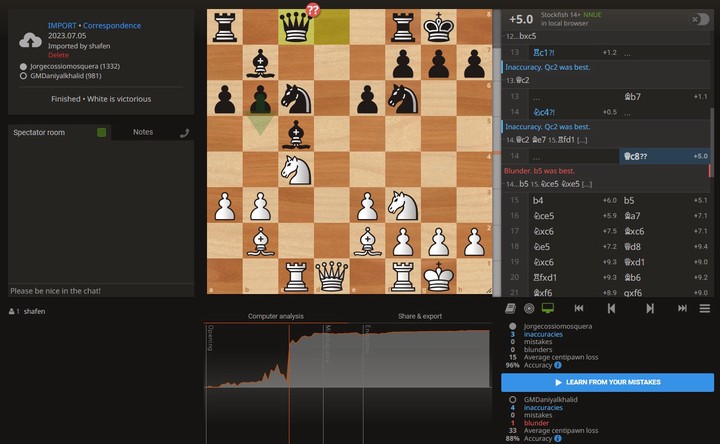
10. You can enable engine to analyze each move and find engine suggestions and try variations.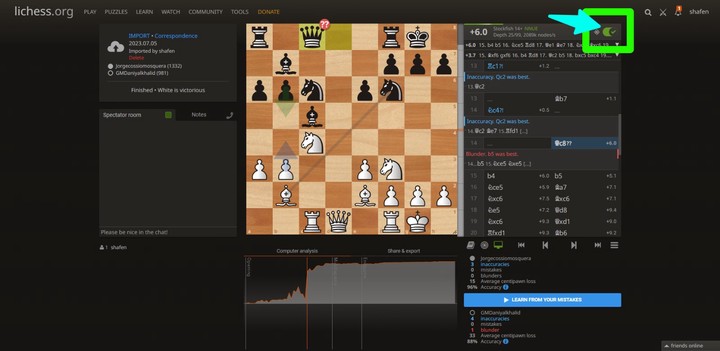
That's it! You have just learned how to use lichess.org to analyze your chess.com games for free and without any limitations.
To copy paste and import game PGN from chess.com to lichess takes me 10 seconds instead of 1 day
Lichess is 100% free
Every feature in REALLY FREE and UNLIMITED and without ads or continuously asking to buy premium which is annoying on chess.com
Post game analysis is a great way to improve your chess skills and learn from your own games.
I hope you found this article useful and informative. If you have any questions or feedback, feel free to leave a comment in the forum. And if you liked this article, please hit the like button and share it with your friends and fellow chess players. Literally many needs this
Happy analyzing!
For FREEEEE!!!
You may also like
 shafen
1. b4 Polish opening: Why Amateurs Win More with 1.b4 Than with 1.e4 or 1.d4
Deep in Lichess database lies a startling anomaly: the Polish Opening (1.b4), nicknamed the "Orangut… shafen
How Lichess.org Beats Chess.com in Every Way (Proven with comparison chart)
If you are looking for a chess website that offers a variety of features, games, and learning resour… shafen