A new feature has been included to put a big red hard-to-ignore warning sign constantly on screen throughout every game played with a blindfold setting turned on, that reads "!BLINDFOLD".
It can't be read by the opponent or spectators so is not to inform them and the blindfold player already knows they are on the blindfold setting with the lack of visible pieces and doesn't need it distracting them all game long.
It's really tiresome either to put up with the constant message that has been made in red font to be hard to ignore or to every game try to resize the board to minimise its impact, then after the game resize the board back big to look at the analysis than resize it small again for the next game, especially for bullet.
It's fun playing on the blindfold setting but if it's desirable to try to dissuade people from playing on blindfold setting for the sake of uniformity, maybe it's best just to delete the option than to try to slowly decrease its already low popularity to phase it out.
A new feature has been included to put a big red hard-to-ignore warning sign constantly on screen throughout every game played with a blindfold setting turned on, that reads "!BLINDFOLD".
It can't be read by the opponent or spectators so is not to inform them and the blindfold player already knows they are on the blindfold setting with the lack of visible pieces and doesn't need it distracting them all game long.
It's really tiresome either to put up with the constant message that has been made in red font to be hard to ignore or to every game try to resize the board to minimise its impact, then after the game resize the board back big to look at the analysis than resize it small again for the next game, especially for bullet.
It's fun playing on the blindfold setting but if it's desirable to try to dissuade people from playing on blindfold setting for the sake of uniformity, maybe it's best just to delete the option than to try to slowly decrease its already low popularity to phase it out.
Where do you see that?
I don't see it (and I don't see it in the source code either)
You can paste a screenshot
Where do you see that?
I don't see it (and I don't see it in the source code either)
You can paste a screenshot
It is only visible if the blindfold setting is set so if you don't have that set, you won't see it.
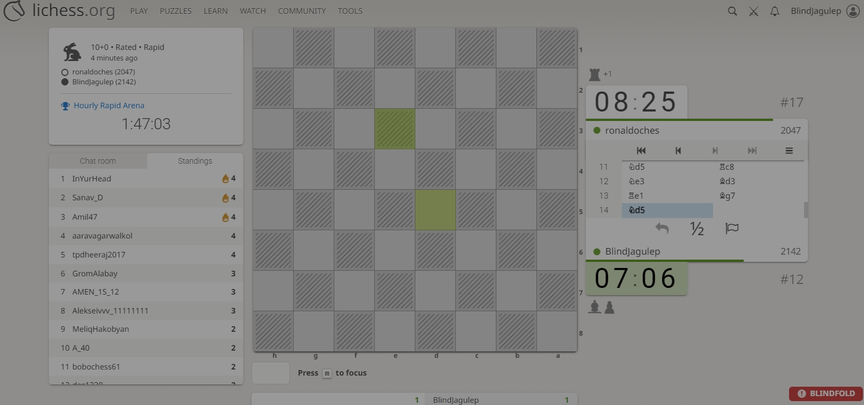
It is only visible if the blindfold setting is set so if you don't have that set, you won't see it.

It's a contest between the users who don't want blindfold (turned it to try or by mistake) and blindfold users.
However, I can see a big confusion in the discussion below between blind fold and blind mode. I'll see what can be done.
I found this discussion on discord (26 Jan 2026)
OP: I turned on blind mode and Idk how to turn it off lol
My page is just showing up as this
Wait I disabled it
But the disable is written in gray on gray
Answer: could probably make it significantly more visually obvious yeah
since it isn't gonna bother blind mode players
OP: cool
Answer: we do fairly often get people asking wth went wrong with the page and it's that
3rd user: Wait, same issue brought me here
Odd
Hey everybody, excited to contribute! It's cool to see this community!
It's a contest between the users who don't want blindfold (turned it to try or by mistake) and blindfold users.
However, I can see a big confusion in the discussion below between blind fold and blind mode. I'll see what can be done.
I found this discussion on discord (26 Jan 2026)
OP: I turned on blind mode and Idk how to turn it off lol
My page is just showing up as this
Wait I disabled it
But the disable is written in gray on gray
Answer: could probably make it significantly more visually obvious yeah
since it isn't gonna bother blind mode players
OP: cool
Answer: we do fairly often get people asking wth went wrong with the page and it's that
3rd user: Wait, same issue brought me here
Odd
Hey everybody, excited to contribute! It's cool to see this community!
@Jagulep do you use zen mode ?
It's a similar case where a visible toggle was added because users were using the keyboard shortcut z by mistake.
It's green and top left.
Would that bother you less ?
However, in the blindfold case, there is no shortcut, so users are supposed to know they found and clicked the toggle.
I started a discussion here: https://github.com/lichess-org/lila/issues/19691
@Jagulep do you use zen mode ?
It's a similar case where a visible toggle was added because users were using the keyboard shortcut z by mistake.
It's green and top left.
Would that bother you less ?
However, in the blindfold case, there is no shortcut, so users are supposed to know they found and clicked the toggle.
I started a discussion here: https://github.com/lichess-org/lila/issues/19691
Thanks. A toggle might be less intrusive although that may be against the wishes of the person who suggested something obvious (although there already is a 'blindfold' setting inside a toggle that I would hope most users would find with minimal effort since I found it to switch back to 'sighted' chess for my non-blindfold chess).
If the big red warning somehow were only on the board temporarily for, say, 10 seconds in the event that a non-blindfold player switched it on (and didn't continue to keep popping up on every single game but just once every time that it got accidentally switched on), that might be perfect but maybe that is hard to programme in.
I will mention that the reason I originally posted was that it wasn't just me who felt like this. My friend's blindfold account said to me about the red blindfold warning, "Lemme check if it comes for me too...Yeah it does for me...that's so weird...And distracting" so he found it a bit off-putting too. Thanks a lot.
P.S. I never use zen mode as I like to see my opponents' rating, if possible.
Thanks. A toggle might be less intrusive although that may be against the wishes of the person who suggested something obvious (although there already is a 'blindfold' setting inside a toggle that I would hope most users would find with minimal effort since I found it to switch back to 'sighted' chess for my non-blindfold chess).
If the big red warning somehow were only on the board temporarily for, say, 10 seconds in the event that a non-blindfold player switched it on (and didn't continue to keep popping up on every single game but just once every time that it got accidentally switched on), that might be perfect but maybe that is hard to programme in.
I will mention that the reason I originally posted was that it wasn't just me who felt like this. My friend's blindfold account said to me about the red blindfold warning, "Lemme check if it comes for me too...Yeah it does for me...that's so weird...And distracting" so he found it a bit off-putting too. Thanks a lot.
P.S. I never use zen mode as I like to see my opponents' rating, if possible.
Could the Red blindfold button appear with an option "dont show me this warning again: yes/no" or similar, that I see often on websites for various type of warning information. Then regular blindfold users could turn it off, but the unaware would have it.
Or is that difficult coding wise??
Could the Red blindfold button appear with an option "dont show me this warning again: yes/no" or similar, that I see often on websites for various type of warning information. Then regular blindfold users could turn it off, but the unaware would have it.
Or is that difficult coding wise??
@CG314 I would not solve it by adding more code ...
I can see there were some discussions already how far this should go: https://github.com/lichess-org/lila/pull/19555
I think the fundamental questions is: do the blindfold users should see a change in their interface because some (non blindfold) users click the blindfold toggle and forgot where they clicked?
I think not ..
But Lichess is a democracy, we'll discuss that peacefully :)
@CG314 I would not solve it by adding more code ...
I can see there were some discussions already how far this should go: https://github.com/lichess-org/lila/pull/19555
I think the fundamental questions is: do the blindfold users should see a change in their interface because some (non blindfold) users click the blindfold toggle and forgot where they clicked?
I think not ..
But Lichess is a democracy, we'll discuss that peacefully :)
Maybe it could be made green or some-other color, less offensive to the eye.
Maybe it could be made green or some-other color, less offensive to the eye.
The new update on blindfold is kind of more distracting while playing blindfold especially due to the color and where it is showed up
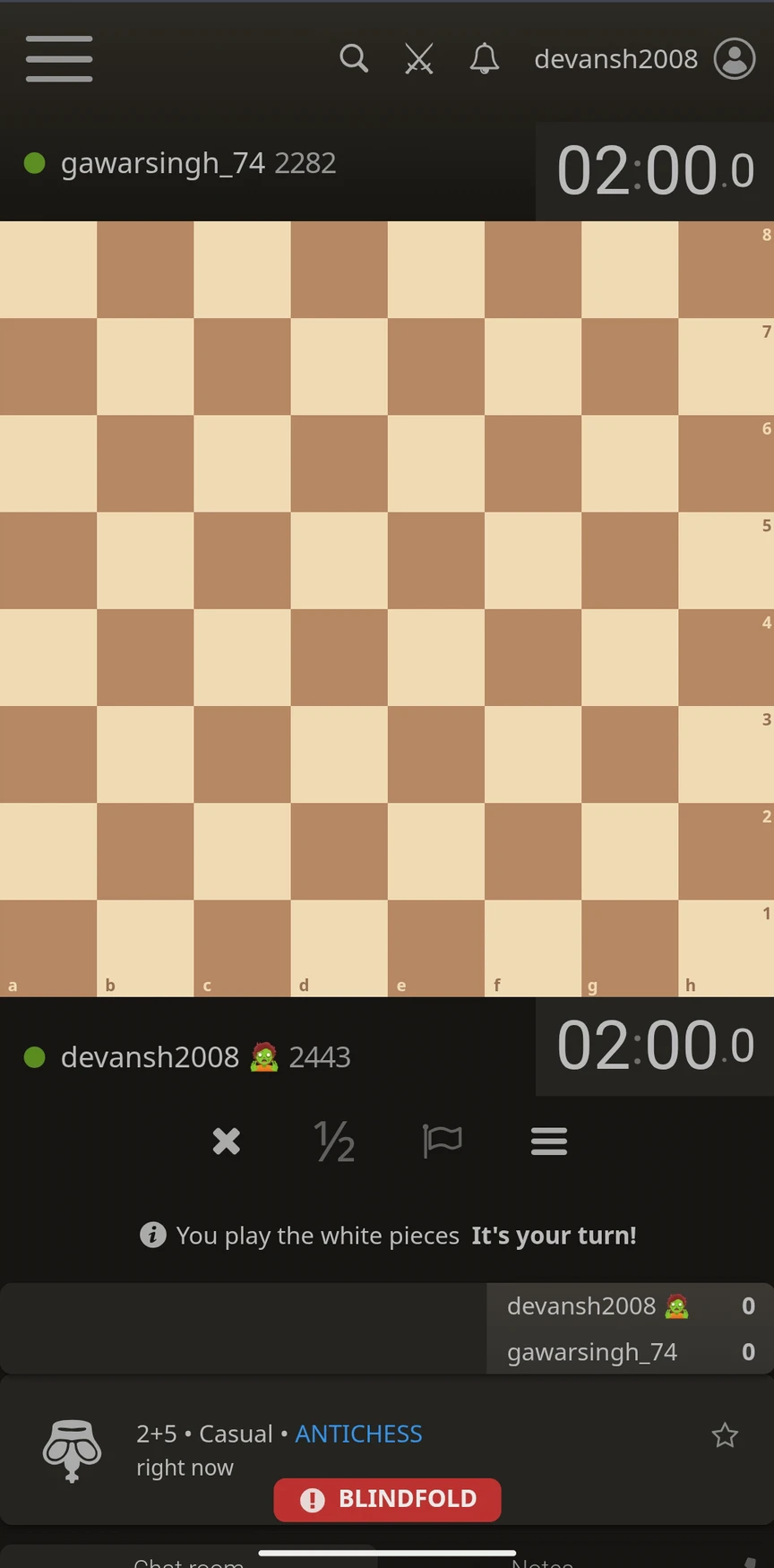
This is the mobile view and it can be misclicked while playing with blindfold and it will show the pieces to the players playing blindfold.
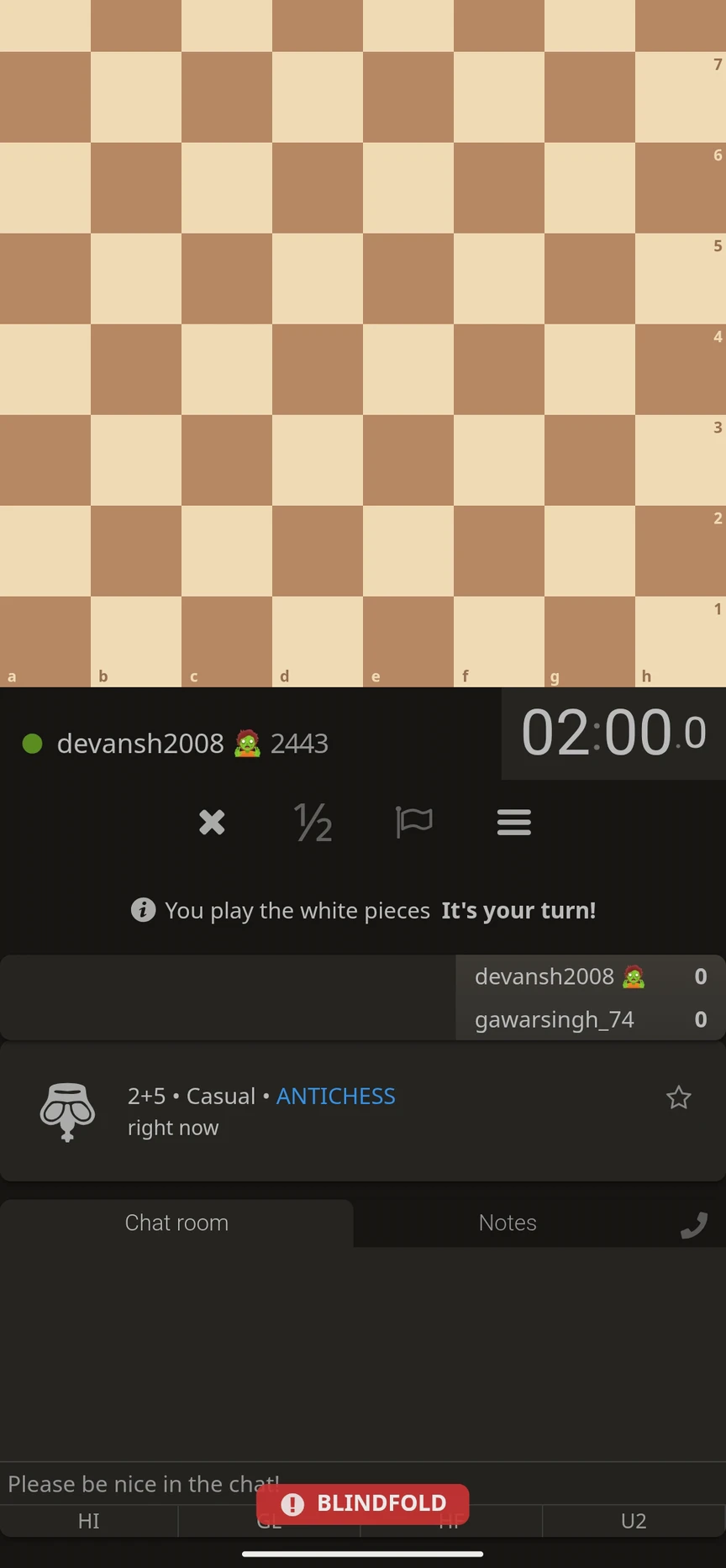
It also appears on the "good luck" and "have fun" buttons.
So I suggest it should be showed somewhere on the page maybe besides where the zen mode message appears when it is turned on. And maybe to change the color to some light color as for zen mode.
The new update on blindfold is kind of more distracting while playing blindfold especially due to the color and where it is showed up

This is the mobile view and it can be misclicked while playing with blindfold and it will show the pieces to the players playing blindfold.

It also appears on the "good luck" and "have fun" buttons.
So I suggest it should be showed somewhere on the page maybe besides where the zen mode message appears when it is turned on. And maybe to change the color to some light color as for zen mode.


