Hi everyone,
I've been working on Camera Chess: a way to play Stockfish on an ordinary physical chessboard, using a camera to read the position. No electronic board or special pieces are needed. You move the pieces for both sides, and the app speaks Stockfish's moves.
It currently runs on Apple Silicon Macs. Both recognition and Stockfish run locally. You can start a new game, set up an endgame, save and load games, and promote pawns. It also detects which colour is facing the camera.
Here's a recording of the current build, including promotion:
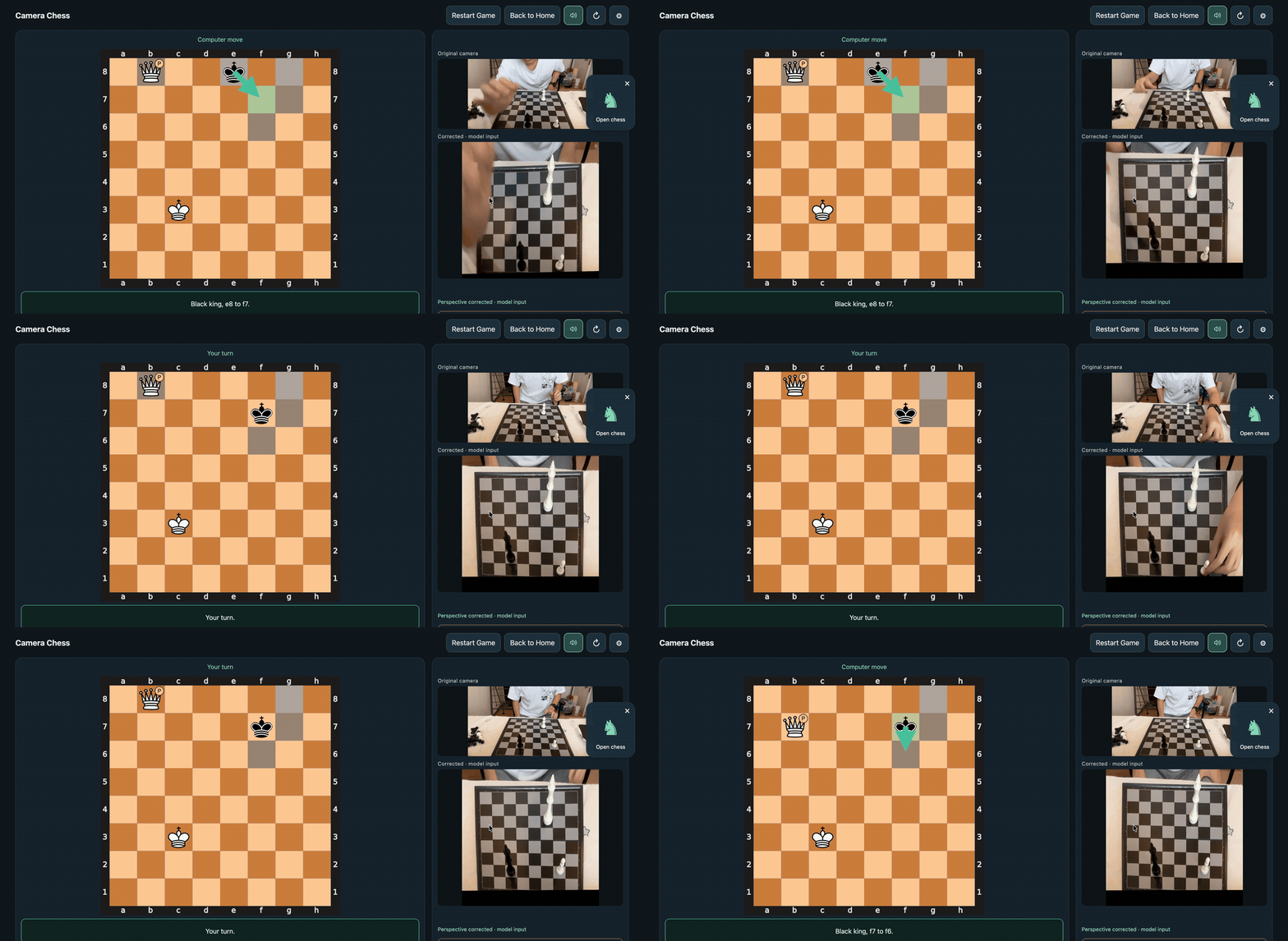
The recording is silent; the app itself speaks moves.
One useful part of the project has been using the previous position and legal moves to resolve uncertain camera readings, rather than treating every frame as a fresh board. I use Joël Seytre's ChessQ Lite V4 for piece recognition, alongside my own trained decision models and checks across frames.
Recognition has been fast and accurate in my setup, but that doesn't tell me how well it will work with someone else's pieces, lighting and camera angle. That's the part I'd especially like feedback on. The current Mac-only support is another limitation.
Code and setup instructions:
https://github.com/AmethystineAlpaca/camera_chess
If you try it with your board, I'd be interested in what works and where recognition breaks down. A description of the pieces, lighting and camera position would help me investigate.
For people who already practise against an engine on a physical board: what gets in your way most — entering moves, correcting a misread position, or setting up positions to practise?
Happy to discuss the recognition approach too. Thanks for taking a look!
Hi everyone,
I've been working on Camera Chess: a way to play Stockfish on an ordinary physical chessboard, using a camera to read the position. No electronic board or special pieces are needed. You move the pieces for both sides, and the app speaks Stockfish's moves.
It currently runs on Apple Silicon Macs. Both recognition and Stockfish run locally. You can start a new game, set up an endgame, save and load games, and promote pawns. It also detects which colour is facing the camera.
Here's a recording of the current build, including promotion:

The recording is silent; the app itself speaks moves.
One useful part of the project has been using the previous position and legal moves to resolve uncertain camera readings, rather than treating every frame as a fresh board. I use Joël Seytre's ChessQ Lite V4 for piece recognition, alongside my own trained decision models and checks across frames.
Recognition has been fast and accurate in my setup, but that doesn't tell me how well it will work with someone else's pieces, lighting and camera angle. That's the part I'd especially like feedback on. The current Mac-only support is another limitation.
Code and setup instructions:
https://github.com/AmethystineAlpaca/camera_chess
If you try it with your board, I'd be interested in what works and where recognition breaks down. A description of the pieces, lighting and camera position would help me investigate.
For people who already practise against an engine on a physical board: what gets in your way most — entering moves, correcting a misread position, or setting up positions to practise?
Happy to discuss the recognition approach too. Thanks for taking a look!
